Portfolio
A good place to startFor a focused portfolio.
$97/ month
Up to 3 Facebook Pages
Discuss early access- 500 renders / 30-day usage period
- AI assistance within a shared usage allowance
- 25 GB media storage
- Funnels, studios, reviews & analytics
A little more logic. A lot less busywork.
Upload in bulk. Plan your follow-ups. Review replies in one place.
Give your Facebook Pages a consistent routine—and give yourself room to think.
Public registration is not open yet. Request access by email; invitations are not guaranteed.
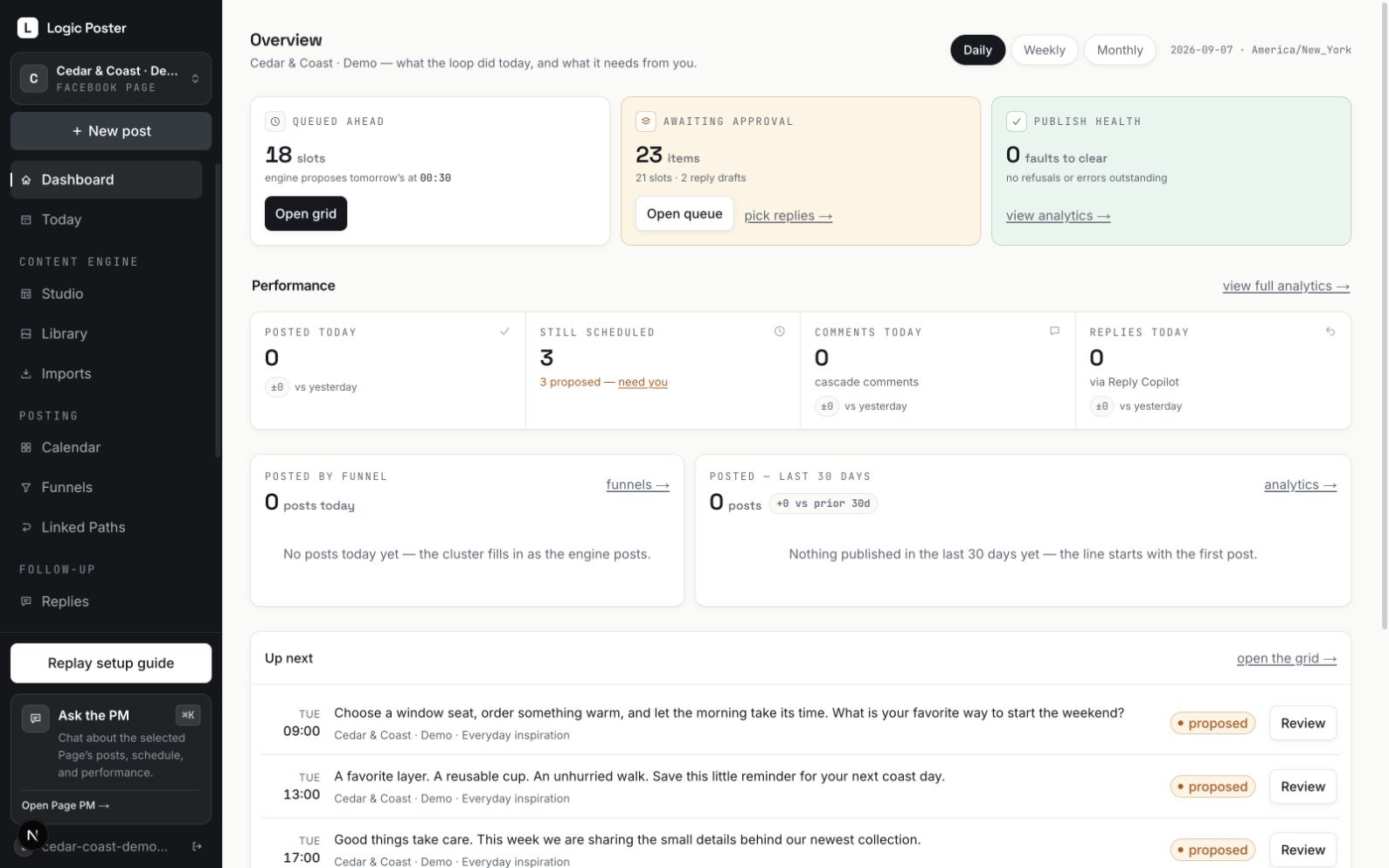
THE WORK YOU CAN TAKE OFF YOUR PLATE
From the first upload to the next conversation.
See how the repetitive parts come together.
01BULK UPLOADS
Your content is already made. Get it into your plan without building every post from scratch. Bring captions, comments, and images together in a single import workflow.
Less time uploading. More content ready to work with.
Silent product demonstration using a synthetic demo workspace. Import a CSV and media, preview the matches, then review the batch before scheduling. No live customer content is shown.
02MCP · YOUR ASSISTANT, CONNECTED
Bring your compatible AI assistant into the workflow. Brief it where you already think, then have it create drafts in Logic Poster through MCP—without moving every caption over by hand.
Fewer handoffs between a good idea and a usable draft.
Scheduling is a separate permission. Your assistant’s model usage is billed by its provider.
Silent product demonstration using a synthetic demo workspace. Choose a Page and review the permissions for a compatible AI assistant. The demonstration shows connection setup without creating a credential or publishing anything. No live customer content is shown.
03CASCADE COMMENTS
The first-comment link. The extra context. The question you want to ask later. Plan the whole sequence with the post, so you don’t have to keep coming back with a reminder.
One planning session. The follow-through already arranged.
Silent product demonstration using a synthetic demo workspace. Use the post editor to prepare a first comment and follow-up comment timings. Nothing is published in this demonstration. No live customer content is shown.
05FUNNELS & EVERGREEN CONTENT
Organize content into funnels, give each one a cadence, and see the plan on your calendar. Reuse eligible evergreen posts and connect related ideas with Linked Paths.
Build a reusable system instead of restarting every week.
Silent product demonstration using a synthetic demo workspace. Group content into funnels, choose each funnel’s cadence, and review the posts in your weekly queue. No live customer content is shown.
06PIP · YOUR PAGE ASSISTANT
Give Pip your Page’s voice, audience, and direction. Ask for help with drafts and planning, check what needs attention, and turn your Page’s results into a clearer next step.
Spend your energy on the decisions that need you.
LP supplies AI within your account allowance. Pip’s work starts with your request.
Silent product demonstration using a synthetic demo workspace. Open Pip, review the Page’s brand and attention information, and prepare a brief. The demonstration does not show a generated conversation or continuous background work. No live customer content is shown.
MORE FROM THE CONTENT YOU ALREADY HAVE
Turn an idea into branded graphics, text posts, or reels in the creative studios. Keep your assets close to your content plan, with fewer tools to jump between.
Explore Logic PosterAUTOMATION WITH A HUMAN CENTER
Your Pages, your content, your brand brief.
Funnels, schedules, and reuse rules that fit.
Today brings the decisions back to you.
ROOM TO GROW
One Facebook Page counts as one connection.
Every plan includes the publishing and review workflow.
For a focused portfolio.
$97/ month
Up to 3 Facebook Pages
Discuss early accessFor a growing collection of Pages.
$247/ month
Up to 25 Facebook Pages
Discuss early accessFor a larger publishing operation.
$497/ month
Up to 50 Facebook Pages
Discuss early accessPaid subscriptions are not available yet. Before joining, we explain your payment terms and assisted Page activation.
AI image generation requires a paid plan and available allowance. Images, drafts, and Page PM share an AI allowance. Images and other non-chat work can use up to half; the rest is protected for Page PM. Work pauses when the available allowance is used or reserved. No automatic overage charges. Usage is measured over 30 days.
Team seats, client approvals, and other social networks are future additions. Optional connections are available only when enabled by Logic Poster.
Because depth matters. Logic Poster is built around Facebook Page workflows: post formats, follow-up comments, content queues, approval rules, replies, and Page insights. Personal profiles and Groups are not supported. Other networks are on the roadmap.
Yes. Import captions and media with the CSV wizard, preview the matches, or paste posts directly into a funnel. Build a reusable library and schedule around the cadence you choose.
AI drafts and proposals require review by default. Each funnel can use manual review, a timed veto window, or full auto for eligible evergreen content. Human-written content follows the schedule you set. Your lead agent cannot directly publish or change your billing.
Yes, with a compatible MCP client. Connect it to the Pages and permissions you choose so it can help prepare content in Logic Poster. Scheduling needs its own permission; MCP cannot publish immediately. Your assistant’s own model usage is billed by its provider. Logic Poster’s image generation and Pip work use your LP allowance.
Logic Poster checks recent posts it published for new comments approximately hourly. You can review AI-suggested replies, edit them, and approve what is sent. It is not a real-time inbox for every historical comment, and suggestions are not sent without your approval.
When registration is open, you can try Logic Poster for 14 days without a card. The trial includes text assistance within a shared AI allowance and tools for your existing media. AI image generation requires a paid plan and available allowance. There is no permanent free plan. Portfolio starts at $97 per month for up to three Facebook Pages. AI work shares an account allowance. Payment terms and assisted publishing activation are explained before you join.
LESS BUSYWORK. MORE POSSIBILITY.